
|
|


Contrary to public opinion, the GUI implementation for Linux is not called Xwindow but XFree86. Eventough they are the same, they run under different licenses. The original Xwindow system was developed back on 1984 at MIT (That is Massachusset Institute Of Technology). Essentially, the purpose of the project was to establish a client/server relation between low-end clients and powerful servers. So, the structure of the GUI is divided into Xserver and Xclient.
The programmers have created the Xwindow as a network oriented GUI. Linux have inherited the features with only one difference. That is the integrating of both client and server into a single unit -as opposed to the Unix version. Another aspect of XFree86 is preserving the Graphical and the command-line shell separated. In order to invoke the GUI, the user must type startx first. Some distributions like Red Hat and Open Linux have facilitated the GUI from the moment of login. The way it is done is by editing /etc/inittab and changing runlevel from 3 to 4
|
As opposed to Microsoft Windows and Macintosh, the Xwindow brings a new concept. That is the option to select from a number of desktops. Presently, two projects are gaining a strong support both from developers and end-users: the KDE and GNOME. Initally, KDE was despised Linux converts because it was not programmed using open source software. The owner of the toolkit, troll technologies, released a special license meet the Linux community urges for open-source development. The GNOME was a response to this event. This desktop was based on GTK+, a fully open source development toolkit. Nowadays, the Qt and GTK+ are used to develop open source and commercial applications alike for Unixsoid systems. All desktops share the same similarity. A task bar, icons, an integrated internet browser, etc. However, the way the programs are implemented and run approaches more to the pre-Windows95 era(Like the Windows shell mounted on top of DOS). An advantage of using Linux is the possibility to run Microsof Windows programs within its GUI. Begin the software emulation age. VMWare and Wine are able to run MS-Windows based programs to the delight of end-users. VMWare is a commercial product and distributed as shareware by Storm Linux. Today, Wine is still in development and not yet ready for production. Another characteristic of the Xwindow system is the capability to switch virtual consoles. When logged as root, launching different xterms would allow to log as different users, run multiple applications and processes at the same time. | 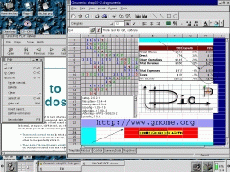 Here is a look at the GNOME running multiple applications including MS-Office.. |
Another characteristic of the Xwindow system is the capability to switch virtual consoles. When logged as root, launching different xterms would allow to log as different users, run multiple applications and processes at the same time.
Configuring the Xwindow is a difficult task for no-technically oriented people. There are three well know utilities to configure the GUI. The first and toughest is xf86config. It is an onscreen menu-line based interface utility. Information regarding the monitor resolution and video card documentation should be available at hand. The second one is XF86Setup and it is graphical based. The third one is the Xconfigurator, Red Hat's contribution to the open source. Once configured properly, the xserver should start smothly and load all applications coming with the package.
Next: Networking
Up: Linux Tutorial
Previous: Editors